
Fast, safe check-in for every family
Families check in at a kiosk or from their phone, kids get name tags with a matching pickup code, and attendance records itself. Free, on affordable tablets and label printers.
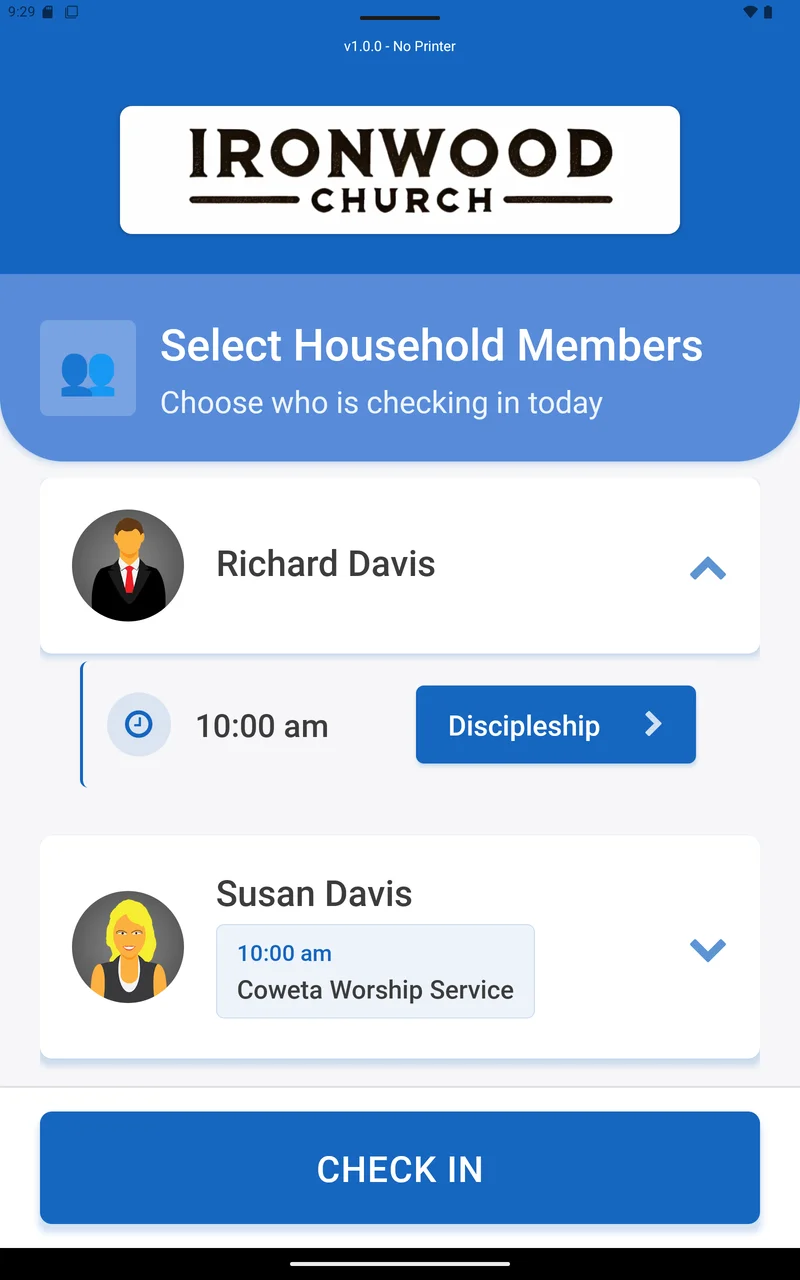
Self-serve kiosks
Run the B1 check-in app on an affordable tablet.
- Recommended: Samsung Galaxy Tab A-series or Amazon Fire HD 10
- Families look themselves up by the last 4 digits of a phone number or by name
- Each person is placed in the right room, with age and grade guidance
- Kiosk colors and an idle-screen slideshow match your church
Name tags and pickup codes
Print a name label for each child and a pickup slip for the parent with the same 4-character security code.
- Brother QL label printers (QL-1110NWB recommended) with DK-1201 labels
- Design your own labels
- Reprint a label anytime
Child safety built in
Checkout and room tools that help volunteers keep kids safe.
- Check out by security code, scanned by camera or barcode scanner
- Authorized and not-authorized pickup lists
- Room capacity and volunteer ratios that warn or block
- Page a parent or send an emergency text (requires a texting provider)
Guests welcome
First-time families can register at the kiosk or on their own phone.
- QR code guest registration with the fields you choose
- Auto-add guests to a group for follow-up
Check in before you arrive
Members can check in their whole household from the church app.
Attendance that records itself
Every check-in feeds your attendance reports in B1Admin.
- Weekly summary, attendance trend, and per-group attendance
- Check-in windows for each service time
- Headcount-only entry for services without check-in
Check-in questions
What hardware do we need?
A tablet for each kiosk and, if you want name tags, a Brother QL label printer. Recommended tablets include the Samsung Galaxy Tab A-series and Amazon Fire HD 10.
Is the check-in software free?
Yes. Check-in is part of B1, which is free including hosting. You only buy the hardware.
How do parents pick up their kids?
Each child's name tag and the parent's pickup slip share a 4-character code. Volunteers check the code, or scan it, at pickup.
Can visitors check in?
Yes. Guests can be added at the kiosk, or scan a QR code to register on their own phone.
Be one church. All in one place.
Set up your church in minutes — your app, website, giving, and check-in are waiting.
No credit card required — there's nothing to charge. Free forever, from a ministry that wants you to keep it that way.